Teksus ERPby Teksus Power Solutions
ERP for lithium battery makers

Run your battery business on one screen, not ten spreadsheets.

Teksus ERP brings quotations, GST invoices, stock, purchases, money owed and your books into one Windows app — built in India for battery pack assemblers.

Windows 11 · Sign in with your mobile number · Your company's data in its own database
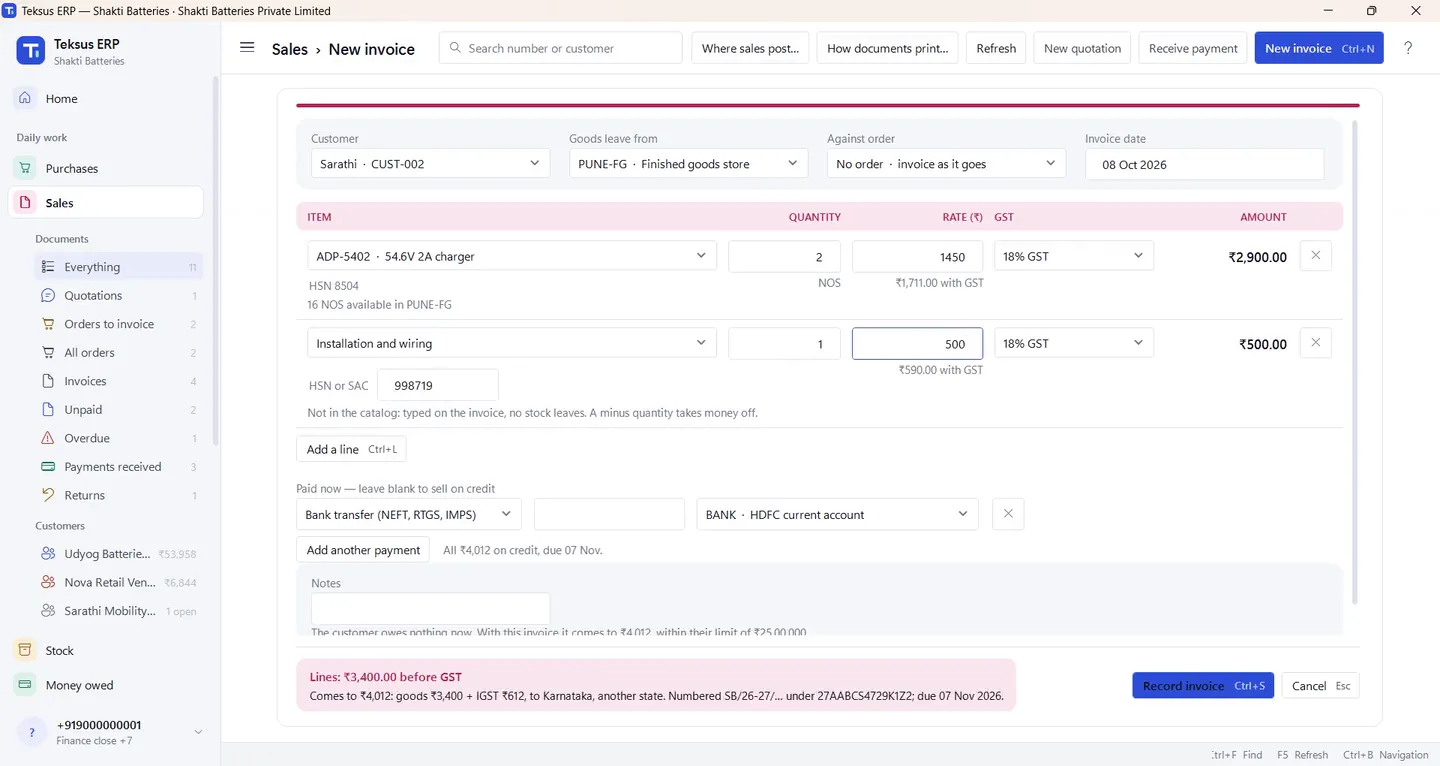
A tax invoice being made in Teksus ERP, with GST worked out

A real invoice being made in Teksus ERP · demo company

GST invoicesCGST, SGST or IGST from the customer's state
Stock that keeps itselfEvery invoice, receipt and transfer moves it
Money owed at a glanceWho owes what, and how late
Two people, every credit noteNobody approves their own entry
Why not Excel?

Your spreadsheet can't stop a mistake. Teksus can.

Spreadsheets got you this far. But as orders, stores and people grow, every copy, formula and late update becomes a risk to your money and your GST.

In a spreadsheet

  • Invoice numbers typed by hand, and restarted by hand every April
  • Stock updated when someone remembers
  • "Who owes us?" means filtering a sheet
  • GST worked out by a formula someone may have changed
  • Anyone can change any cell, with no trace

In Teksus ERP

  • Numbered by itself under your GSTIN, starting again every 1 April
  • Stock moves with every invoice, receipt, return and transfer
  • Money owed and what is overdue, on the home screen
  • CGST, SGST or IGST from the place of supply, every time
  • A second person approves credit notes; every change is kept
Sales

From quotation to tax invoice in minutes

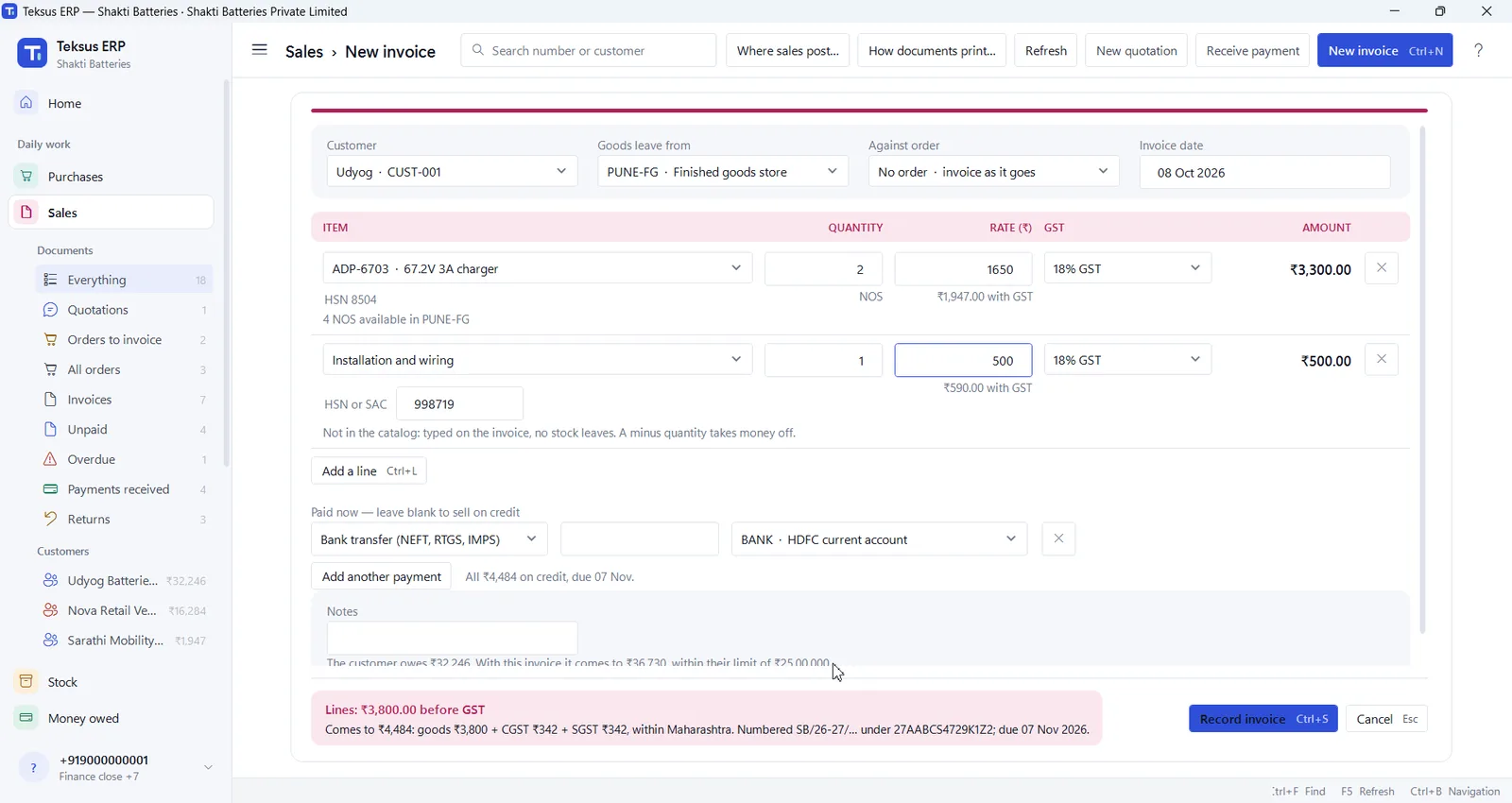
Type the first letters of a customer or item and pick it. HSN, GST and what is in the store fill in by themselves, and the invoice checks the customer's credit limit before anything is recorded.
  • Quotations, orders and invoices against them
  • Payment by UPI, cash, cheque or bank transfer — or on credit
  • Returns and exchanges on the same invoice
  • Prints original, duplicate and triplicate, or saves a PDF
A new invoice in Teksus ERP with a charger, a service line and the GST total
GST documents

Invoices your customers and auditors will trust

Every document prints with your name, address, GSTIN, bank details, UPI ID and terms — tax invoices, receipts, credit and debit notes, purchase orders, goods receipts and delivery challans.
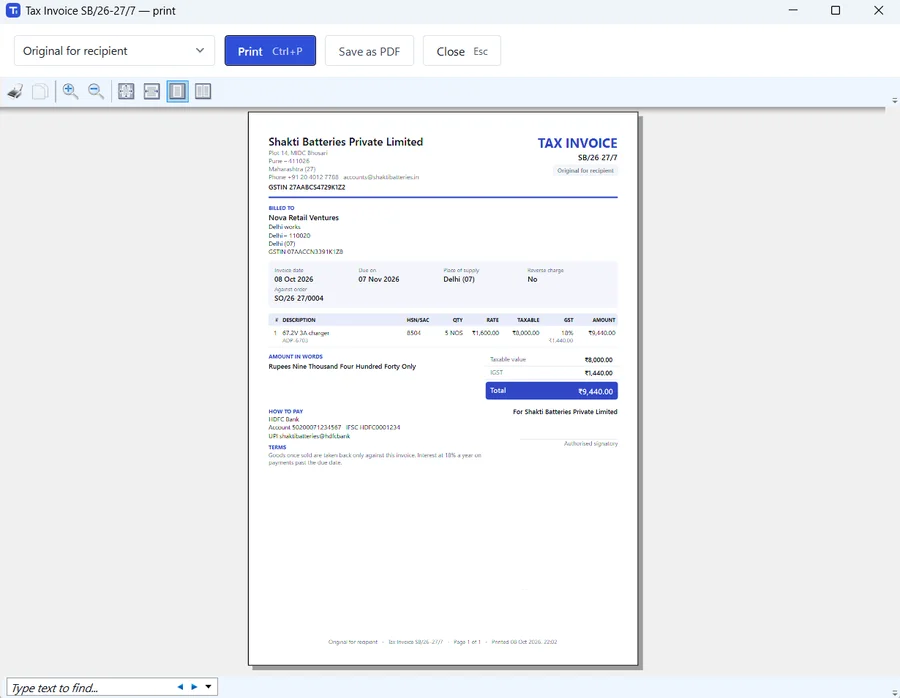
  • Amount in words, HSN-wise lines and place of supply
  • Numbering by financial year, with no gaps
  • Statements of account for every customer and supplier
A printed tax invoice preview with the company details, lines, GST and total
Stock

Know what you have, and where

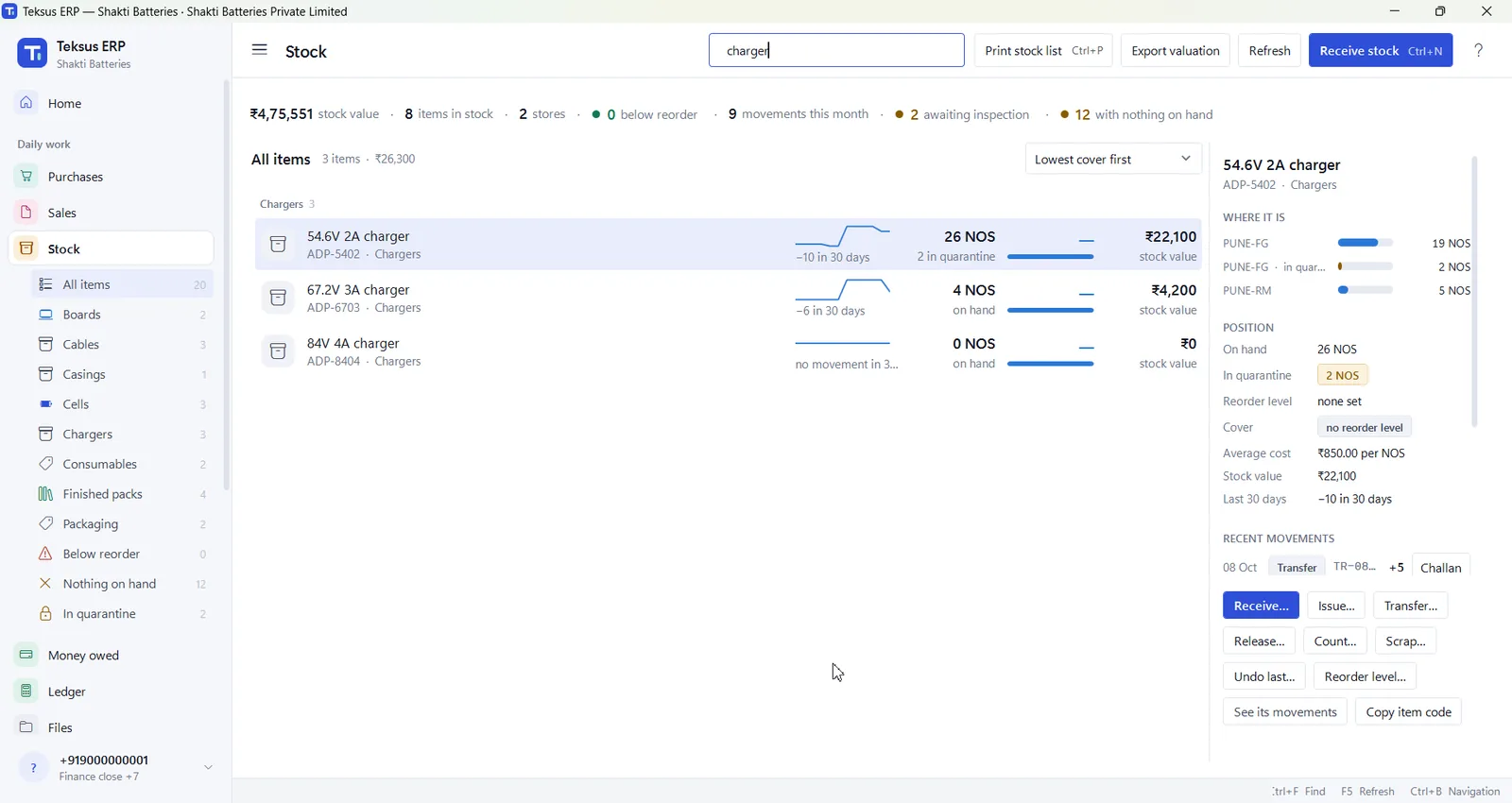
See every item by store, with what is held for inspection and what it is worth. Incoming cells wait in quarantine until quality releases them.
  • Lots for cells, serial numbers for packs
  • Transfers between stores with a delivery challan
  • Counts, scrap and reorder levels
  • Stock valuation you can export
The Stock screen showing chargers by store, with stock value
Purchases

Order, receive, bill and pay — in one chain

Purchase orders carry your GSTIN and delivery address. Goods are received against the order with the supplier's challan and vehicle, and the bill is made from what actually arrived.
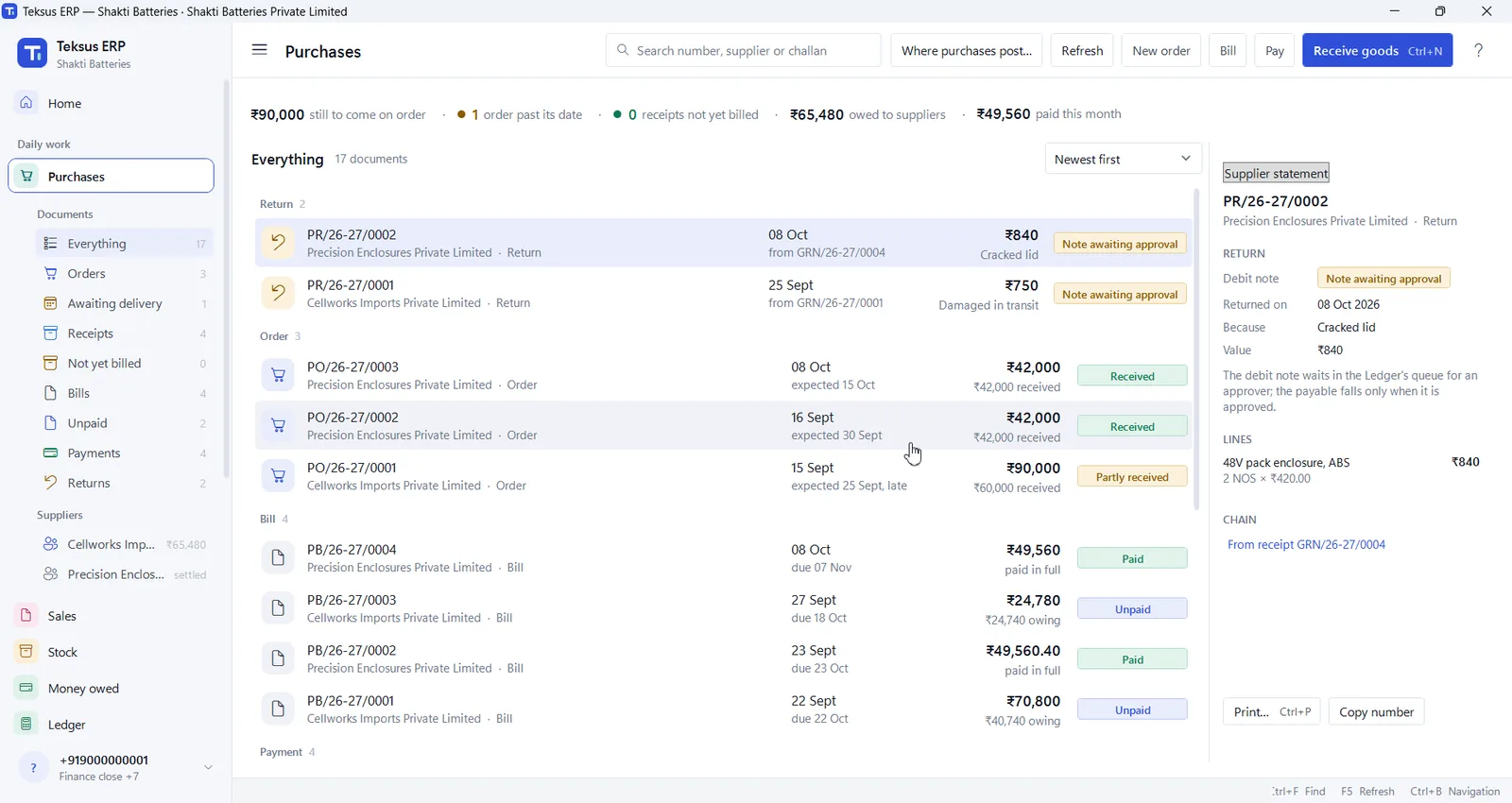
  • Deliveries late or not yet billed, flagged for you
  • Supplier payments and returns with debit notes
  • A duplicate supplier challan is refused
The Purchases screen with orders, bills and payments
Money owed

See who owes what, and how late

Every customer's balance split by how long it has been due, the customers to chase today, and what you owe suppliers. A full statement is one click — print it or send it as a PDF.
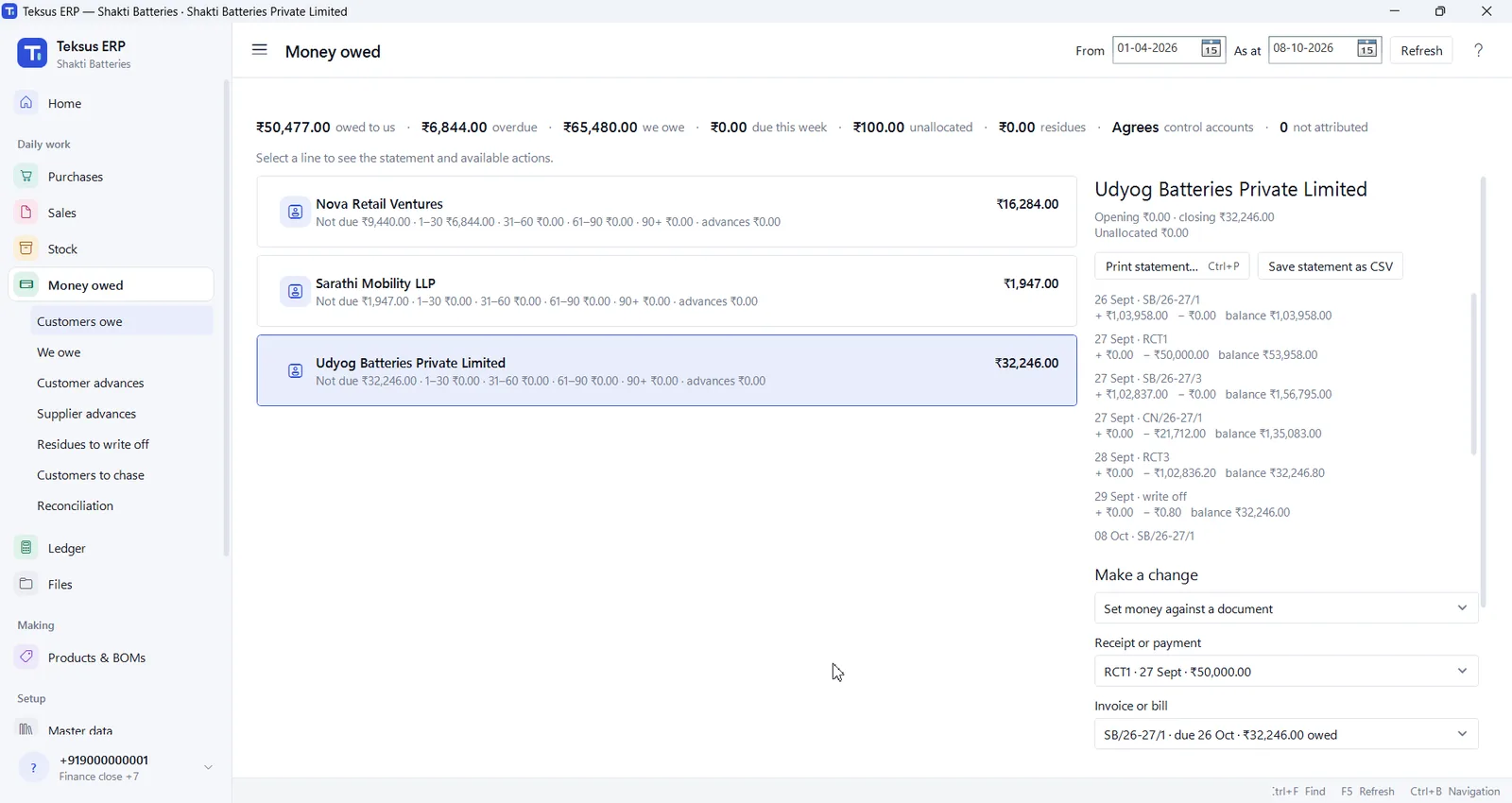
  • 0–30, 31–60, 61–90 and 90+ days at a glance
  • Advances and part payments kept straight
  • Statements as PDF or Excel (CSV)
The Money owed screen with a customer's statement
Books and controls

Books that check themselves

Every sale, purchase and payment posts to a double-entry ledger as it happens. Credit and debit notes need a second person's approval, and the trial balance tells you it agrees.
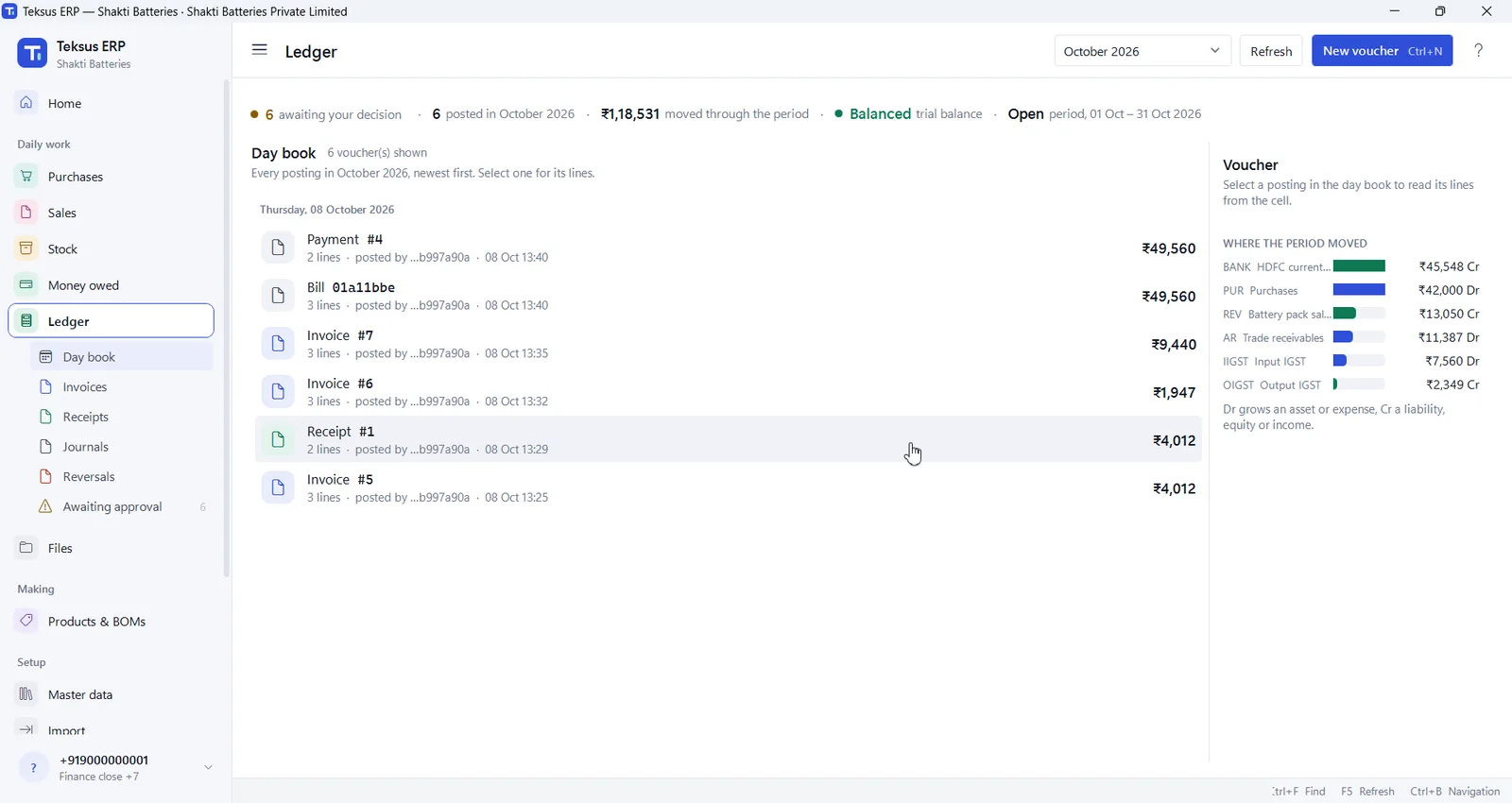
  • Day book, trial balance and period close
  • Nobody approves their own entry
  • A history of every change
The Ledger day book with where the period's money moved
Getting started

Bring your Excel with you

Import your items, customers, suppliers and opening stock from a spreadsheet. Before anything is saved you see what will happen to every row, and a wrong row never holds the others back.
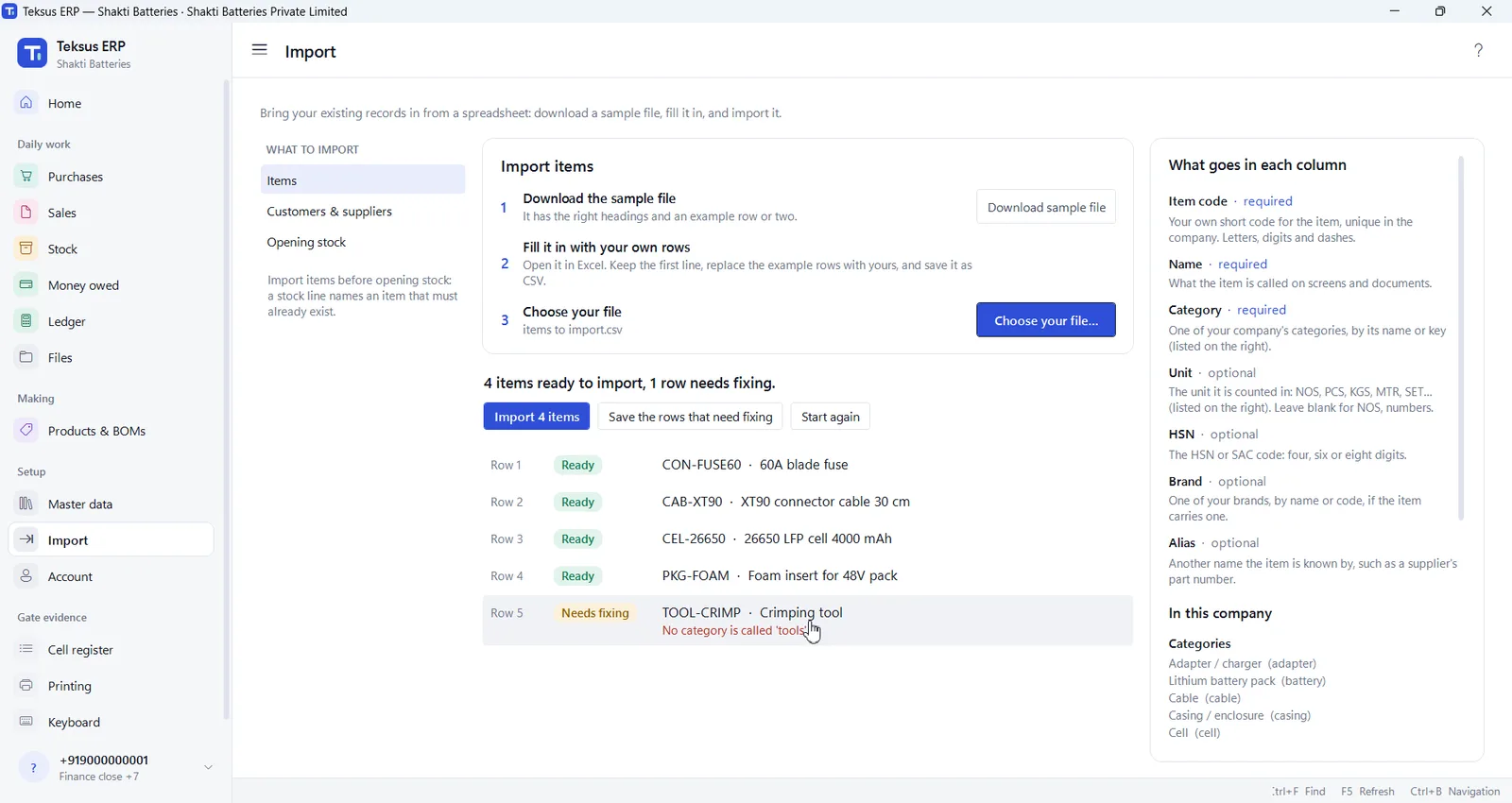
  • Sample files with the right headings
  • Company files and photos kept in folders
  • A setup checklist on the home screen
The Import screen previewing rows from a spreadsheet before importing them
Built for battery makers

It already speaks your language

Teksus ERP was designed around how lithium battery packs are bought, built and sold in India — not adapted from a generic shop system.

Cells with lot numbersBMS boardsChargers and adaptersEnclosures and nickel stripFinished packs with serial numbersIncoming quality quarantineBills of materialsRaw material and finished goods storesInstallation and service linesInterstate GST

One app on every desk

A Windows app for sales, stores and accounts, each person seeing what their role allows.

Sign in with your mobile

A code to your phone, no password to remember, and the app opens by itself next time.

Your company, your database

Each company's records are kept in a database of their own, never mixed with another's.

Learn in Hindi

Every task, shown in a short video

Fourteen short videos walk through the app with Hindi narration and English subtitles — so a new person in the store or the accounts office can start on day one.

Watch the videos
  1. Getting started: sign in, screens and keyboard
  2. Making an invoice, taking payment, returns
  3. Purchase orders, goods receipts and bills
  4. Stock, quality release and transfers
  5. Money owed and the ledger
  6. Master data, setup, files and Excel import
Talk to us

See it with your own items and customers

Book a demo and we will walk you through Teksus ERP with your own items and customers in mind, and answer what moving off Excel would take.

Teksus Power Solutions
F-55, Phase 1, Okhla Industrial Area
New Delhi 110020, India

Teksus ERP comes from Teksus Power Solutions. For our battery products, visit teksuspowersolutions.com.